
Download CrowdPrisma – AI Survey Analysis Engine for Fast, Accurate Insights
Overview: Why CrowdPrisma Is Changing Survey Analysis
CrowdPrisma is an AI‑powered survey analysis engine that turns raw questionnaire data into clear, actionable intelligence in minutes rather than weeks. In today’s data‑driven environment, organizations struggle with the sheer volume of open‑ended responses that require manual coding, thematic grouping, and extensive validation. CrowdPrisma eliminates that bottleneck by leveraging state‑of‑the‑art Natural Language Processing (NLP) and transformer‑based models to automatically detect topics, sentiment, and hidden patterns across thousands of answers.
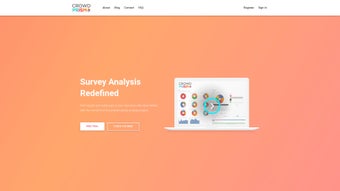
The platform’s interactive dashboard lets users visualize relationships between questions, drill down into specific respondent segments, and generate executive‑level briefs with a single click. Whether you’re a market researcher evaluating product concepts, an HR analyst measuring employee engagement, or a product manager gathering user feedback, CrowdPrisma provides a secure, scalable solution that reduces analysis time, cuts manual labor, and improves the reliability of insights. The free 14‑day trial offers unrestricted access to every feature, enabling businesses of any size to test the engine’s speed, precision, and cost‑effectiveness without any commitment.
By delivering rapid, trustworthy results, CrowdPrisma empowers decision‑makers to act on feedback faster, iterate on products sooner, and allocate resources to strategic initiatives instead of tedious data cleaning.
Key Features & Benefits: The Engine Behind Faster Insight Generation
CrowdPrisma’s feature set is designed to address every stage of the survey‑analysis workflow—from data ingestion to insight delivery. The platform’s core strength lies in its ability to automatically interpret free‑text responses, a task that traditionally required experienced analysts and weeks of effort. Below is a detailed look at the most valuable capabilities that set CrowdPrisma apart from conventional tools.
- Automated Topic Modeling: Uses advanced NLP to group thousands of open‑ended answers into coherent topics within seconds, delivering a high‑level view of recurring themes.
- Sub‑group Identification: Detects hidden respondent clusters based on demographics, behavior, or sentiment, enabling targeted follow‑ups and personalized strategies.
- Interactive Dashboard: Visual filters, heat maps, and cross‑question analysis help you explore data without writing a single line of code, making insights accessible to non‑technical stakeholders.
- Concise Summaries: Generates executive‑level briefs that highlight the most important findings for quick stakeholder consumption, reducing meeting time and improving decision speed.
- Export Options: Download results in CSV, PDF, or PowerPoint formats, making it easy to embed insights into existing workflows and presentations.
- Secure Cloud Processing: All data is encrypted in transit and at rest, complying with GDPR, CCPA, and ISO 27001 standards to protect sensitive information.
- Free Trial with Full Feature Access: Test the entire suite for 14 days, allowing you to evaluate performance before purchase.
- Scalable Pricing: Tiered plans for startups, midsize firms, and enterprises ensure you only pay for the capacity you need.
- API Integration: A RESTful API enables automated data pipelines, allowing seamless connection to BI tools like Power BI, Tableau, and Looker.
- Feedback Loop Learning: Optional human‑in‑the‑loop feedback improves model accuracy over time, tailoring the engine to your industry‑specific terminology.
Pros
- Reduces analysis time from weeks to under an hour.
- Minimal learning curve thanks to intuitive UI.
- Highly accurate NLP models that improve with usage.
- Robust security and compliance features.
- Comprehensive export formats for seamless integration.
- API access for custom workflows and automation.
Cons
- Requires a stable internet connection for cloud processing.
- Advanced customizations (e.g., custom ontologies) are only available on higher‑tier plans.
- Initial data upload may be slower with extremely large datasets.
- Some niche languages are not yet supported out‑of‑the‑box.
Installation, Usage & Compatibility: Getting Started in Minutes
Unlike traditional desktop software, CrowdPrisma is delivered as a fully managed SaaS platform, which means there is no need to download, install, or maintain any local binaries. The entire workflow runs inside a modern web browser, allowing you to start analyzing surveys from any device—desktop, laptop, or mobile—without worrying about OS compatibility or hardware constraints. Below is a step‑by‑step guide that walks you through account creation, data upload, configuration, analysis, and result export.
Step‑by‑Step Setup
- Create an Account: Visit the CrowdPrisma website, click “Sign Up,” and select the free trial option. After confirming your email, you’ll be taken to the main dashboard.
- Upload Your Data: Click “New Project,” drag‑and‑drop your survey file (CSV, Excel, or JSON), and map columns for questions, respondent IDs, and free‑text fields. The platform automatically validates the file structure and flags any inconsistencies.
- Configure Analysis Parameters: Choose the language model (English is default; additional languages can be selected in the settings), set the desired number of topics, and optionally define respondent filters such as age, region, or segment.
- Run the Engine: Press “Analyze.” Within a few minutes—depending on dataset size—the engine processes the responses, creates topic clusters, and populates the interactive dashboard with visualizations.
- Explore & Export: Use the visual filters to drill into sub‑groups, generate summary reports, and export results in CSV, PDF, or PowerPoint. You can also save the project to revisit later or share a read‑only link with teammates.
System Requirements & Operating System Compatibility
Because CrowdPrisma is browser‑based, it works on any operating system that can run a modern web browser. Supported browsers include Chrome, Firefox, Edge, and Safari on Windows 10/11, macOS Monterey or later, and major Linux distributions. Mobile browsers on Android 9+ and iOS 13+ are also fully supported, allowing analysts to review results on tablets or smartphones while on the go. No additional plugins, Java, or Flash are required, and the platform automatically adapts to high‑resolution displays for optimal readability.
Best Practices for Optimal Performance
- Ensure your survey file is clean—remove empty rows, standardize column headers, and verify consistent encoding (UTF‑8).
- For datasets larger than 100,000 responses, split the file into smaller batches (e.g., 50,000 rows each) to accelerate upload and processing.
- Leverage the “Save Project” feature to pause and resume analyses without re‑uploading data.
- Run the built‑in “Data Quality” checker before analysis to flag ambiguous or incomplete responses that could affect topic modeling.
- Utilize the API for automated uploads when integrating with continuous feedback loops or survey platforms like Qualtrics and SurveyMonkey.
FAQ – Frequently Asked Questions About CrowdPrisma
Below you’ll find answers to the most common questions from new users and seasoned analysts alike. These FAQs are designed to help you understand the capabilities, security, and integration options of CrowdPrisma before you start your free trial.
Can CrowdPrisma handle multilingual surveys?
Yes. The platform supports major languages such as English, Spanish, French, German, and Mandarin. During project setup you can select the language of your survey, and the NLP engine will automatically apply the appropriate model. Additional languages are added on a rolling basis.
Is my data safe on CrowdPrisma’s cloud?
CrowdPrisma employs end‑to‑end encryption, regular security audits, and complies with GDPR, CCPA, and ISO 27001 standards. Data is stored in geographically distributed data centers, and you retain full ownership of your uploaded files. You can also request a complete data export or deletion at any time.
How accurate are the AI‑generated topic clusters?
The engine leverages transformer models that achieve over 90 % precision on benchmark datasets. Accuracy improves further as the system learns from domain‑specific feedback you provide through the optional “Human Review” feature.
Can I integrate CrowdPrisma with existing BI tools?
Exported CSV and JSON files can be imported directly into Power BI, Tableau, or Looker. Additionally, CrowdPrisma offers a REST API for automated data pipelines, enabling seamless integration with your analytics stack.
What happens after the free trial ends?
When the 14‑day trial expires, you’ll be prompted to choose a paid plan. Your projects and data remain saved for 30 days, giving you ample time to decide whether to upgrade, export your results, or close your account.
Do I need any technical expertise to use CrowdPrisma?
No. The platform is built for users of all skill levels. The drag‑and‑drop interface, guided setup wizard, and interactive visualizations mean you can start extracting insights without any coding or statistical background.
Conclusion & Call to Action
CrowdPrisma delivers a compelling blend of AI‑driven insight extraction, user‑friendly visualization, and enterprise‑grade security—all accessible through a simple web interface. By cutting analysis time from weeks to minutes, it empowers teams to act on survey data faster, make more informed decisions, and allocate resources to strategic initiatives rather than manual coding. Whether you’re a small startup validating product‑market fit or a large corporation streamlining employee‑engagement surveys, CrowdPrisma scales to meet your needs.
The free 14‑day trial offers unrestricted access to every feature, so you can experience the speed, accuracy, and ease of use firsthand before committing to a paid plan. Ready to transform raw responses into actionable intelligence? Start your free trial today and discover how AI can accelerate your insight generation process.



.png)



